
Summary
GibbsCAM 2025 adds Radial Cuts for turn milling, continuous chamfer-tool corner arcs for 5-axis deburring, finishing-cycle sorting, two lead-motion options, and expanded AutoTilt 2.0 support. Validate each result against a known-good operation before production use.
What Changed in GibbsCAM 2025
Important: Availability depends on the licensed 5-axis or turn-mill options, supported strategy, tool type, machine configuration, MDD, and post processor.
Before You Begin
• Use GibbsCAM 2025 with the required multi-axis or turn-mill option, approved MDD, and validated post processor.
• Work from a backup and prepare separate nonproduction examples for turn milling and deburring.
• Define the part, stock, tool, shaft, holder, fixtures, coordinate systems, and machine limits accurately.
• Save baseline toolpaths, simulation results, cycle times, and posted output before changing a control.
Procedure
Step 1 - Confirm the Baseline
1. Open a copy of the part and confirm that the required operation and tool type are available in the active GibbsCAM configuration.
2. Regenerate and simulate the current operation. Record cut direction, links, lead motion, tool orientation, cycle time, warnings, and posted rotary output.
3. Change one control group at a time so the resulting motion can be compared with the baseline.
Step 2 - Compare Radial Turn-Milling Cuts
1. Open the supported turn-milling operation and locate Radial Cuts.
2. Generate a test path. Radial Cuts should propagate slice-wise in the radial direction to final cutting depth, then apply a sidestep to the next slice; the standard method creates axial spirals with radial depth steps.
3. Compare engagement, remaining stock, chip evacuation, links, axis travel, cycle time, and posted motion. Retain the method that matches the approved process and machine limits.

Figure 1 Compare radial cuts with standard turn-milling spirals
Source: What's New in GibbsCAM 2025, p. 36
Step 3 - Evaluate Continuous Corner Arcs for Deburring
1. Create or copy a 5-axis edge-finishing or deburring operation that uses a correctly defined chamfer mill.
2. Regenerate across representative inner and outer corners. Corner Arc Support should keep the toolpath continuous without intermediate links.
3. Inspect corner coverage, tool orientation, holder clearance, feed continuity, cycle time, and posted rotary motion in full Machine Simulation.
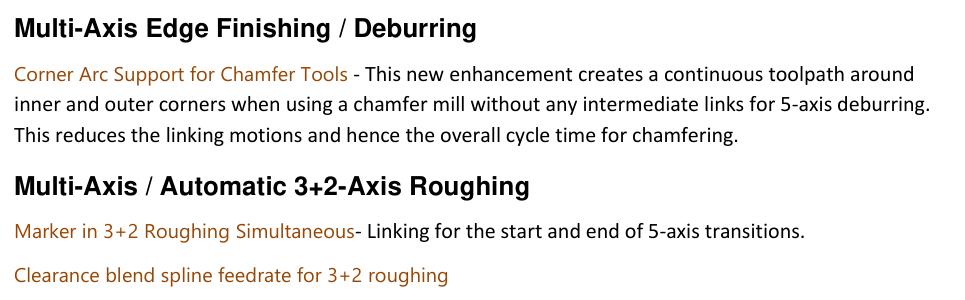
Figure 2 Review continuous corner arcs and 3+2 transition items
Source: What's New in GibbsCAM 2025, p. 36
Step 4 - Review Finishing Order and Lead Motion
1. In a supported finishing cycle, compare Sort by Regions/Lanes with the baseline. Confirm the chosen order reduces unnecessary travel without changing required surface coverage.
2. For surface leads, test Tool Orientation Normal To Lead when the tool must stay normal to the toolpath through the lead, or Along Tool Axis when the lead must follow the tool-axis direction.
3. When using automatic arc leads, automatic tool orientation, and a barrel tool, evaluate AutoTilt 2.0 and inspect the entire lead and transition for clearance and reachable rotary motion.
4. Regenerate, run full Machine Simulation, review the posted program, and complete the approved prove-out process.
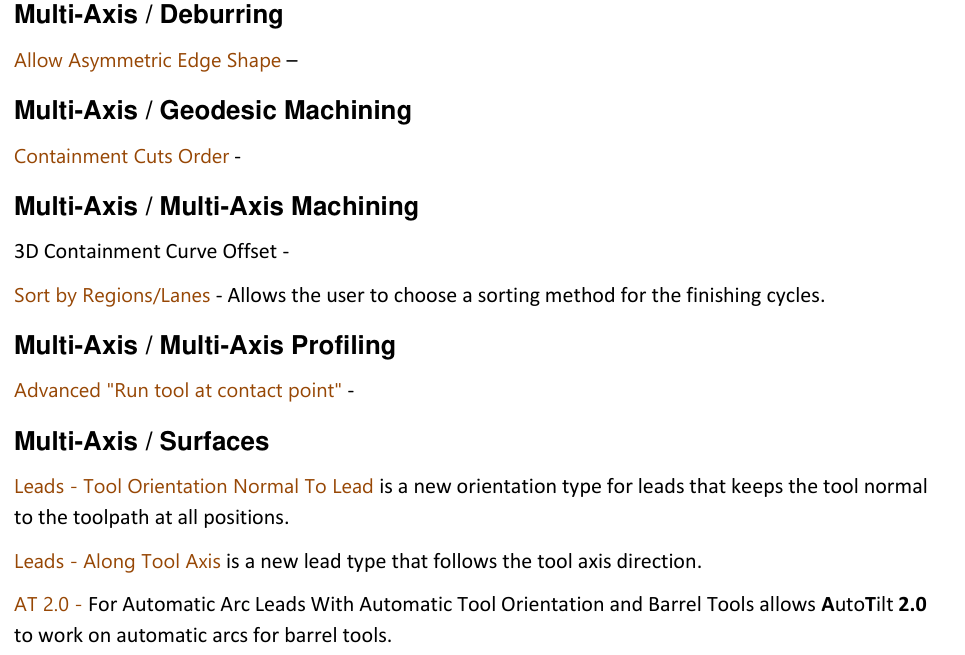
Figure 3 Apply documented finishing and lead controls; validate abbreviated entries
Source: What's New in GibbsCAM 2025, p. 36
Expected Result
• Turn-milling cuts follow the selected radial or standard pattern with safe engagement and reachable motion.
• Chamfer-tool deburring remains continuous through supported inner and outer corners with fewer intermediate links.
• Finishing order and lead motion match the machining plan without lost coverage or unsafe transitions.
• Simulation and posted output agree with the approved setup and machine limits.
Best Practices
• Use separate test parts for turn milling and deburring, as recommended in the article plan.
• Change one option at a time and retain a known-good operation for comparison.
• Use complete tool, holder, stock, fixture, and machine definitions before judging links or orientation.
Troubleshooting
• Problem: Radial Cuts is unavailable or the result still resembles the standard spiral path.
Cause
• The active strategy, license, or build does not support Radial Cuts.
• The operation was not regenerated, or the selected geometry does not make the difference obvious.
Resolution
Confirm the supported turn-milling operation and installed GibbsCAM 2025 build, enable Radial Cuts, regenerate representative geometry, and compare the cut propagation with the saved baseline.
• Problem: The deburring path inserts links or loses coverage at a corner.
Cause
• The operation is not using the supported edge-finishing behavior or a chamfer mill.
• The corner geometry, tool definition, tolerance, or orientation creates an interruption.
Resolution
Confirm the strategy and chamfer-mill definition, repair the selected edges if needed, and regenerate. Inspect inner and outer corners in Machine Simulation before changing tolerance or orientation values.
• Problem: Sort by Regions/Lanes produces inefficient travel or an unexpected cut order.
Cause
• The selected sorting method does not suit the region and lane layout.
• Containment, direction, or linking choices are overriding the intended order.
Resolution
Restore the baseline, verify containment and direction, then compare each supported sorting method separately. Retain the option that preserves coverage and produces safe, efficient motion.
• Problem: Lead orientation or AutoTilt 2.0 creates abrupt or unreachable rotary motion.
Cause
• The selected lead type conflicts with the toolpath, barrel-tool geometry, or automatic orientation result.
• Machine limits, avoidance geometry, or the tool assembly are incomplete.
Resolution
Verify the complete setup and machine limits, return to the baseline lead, then test Normal To Lead, Along Tool Axis, or AutoTilt 2.0 individually. Re-simulate all lead and transition motion and review the posted output.
Related Articles
• How to Machine Open Shapes in GibbsCAM
• Recommended Simulation Settings
• How to Create a Pack and Go File
Explore More from CAMCO
Visit the CAMCO website to learn more about:
• Downloads and Helpful Resources
Keywords
GibbsCAM 2025, multi-axis finishing, turn milling, Radial Cuts, 5-axis deburring, Corner Arc Support, chamfer mill, 3+2 roughing, Sort by Regions/Lanes, lead orientation, Along Tool Axis, AutoTilt 2.0, barrel tool