
Summary
GibbsCAM 2026 adds Automatic Machining Direction, user-defined edge ordering, improved 3+2 behavior, bullnose AutoTilt, plane-constrained tilting, and a new automatic tilting kernel.
Table of Contents
What Changed in GibbsCAM 2026
Before You Begin
• Use GibbsCAM 2026 with the required 5-Axis Deburring/Edge Finishing and tilting capabilities.
• Use an approved 5-axis machine definition and production postprocessor; confirm supported bullnose tools when applicable.
• Define accurate tools, holders, shafts, edges or curves, surfaces, stock, fixtures, and machine limits.
• Save a copy of the part and retain baseline operations, simulations, and posted output for comparison.
Procedure
Step 1 - Establish the Baseline
1. Duplicate the operation that will be changed.
2. Record geometry order, tool assembly, direction, tool-axis settings, machine limits, simulation result, and posted motion.
Step 2 - Set Automatic Machining Direction
1. Open 5-Axis > Deburring.
2. Go to Surface paths > Path parameter > Direction and select Automatic Machining Direction.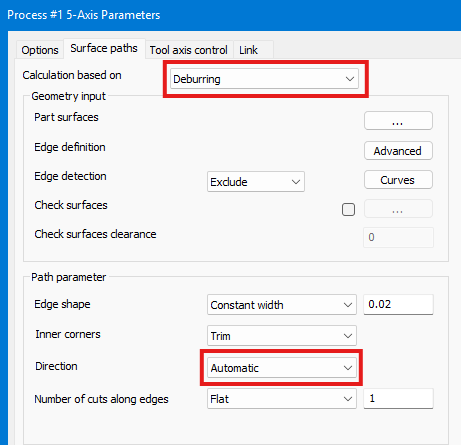
3. Calculate and verify direction, ordering, links, and cycle time.
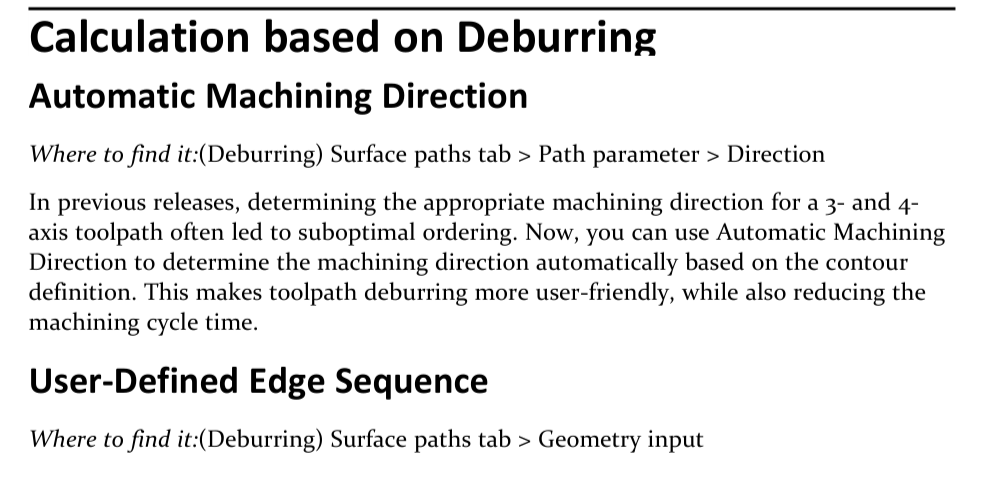
Figure 1 Automatic direction uses the contour definition
Source: What's New in GibbsCAM 2026, p. 43
Step 3 - Preserve a User-Defined Edge Sequence
1. Go to Surface paths > Geometry input.
2. Select the included curves or edges in the required machining order and preserve input order.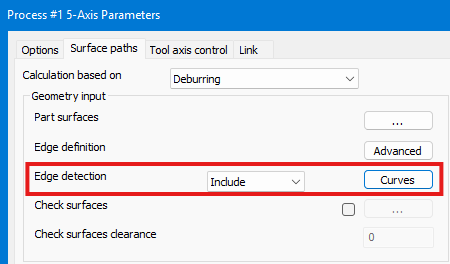
3. Calculate and confirm that the toolpath follows the intended sequence without unsafe links.
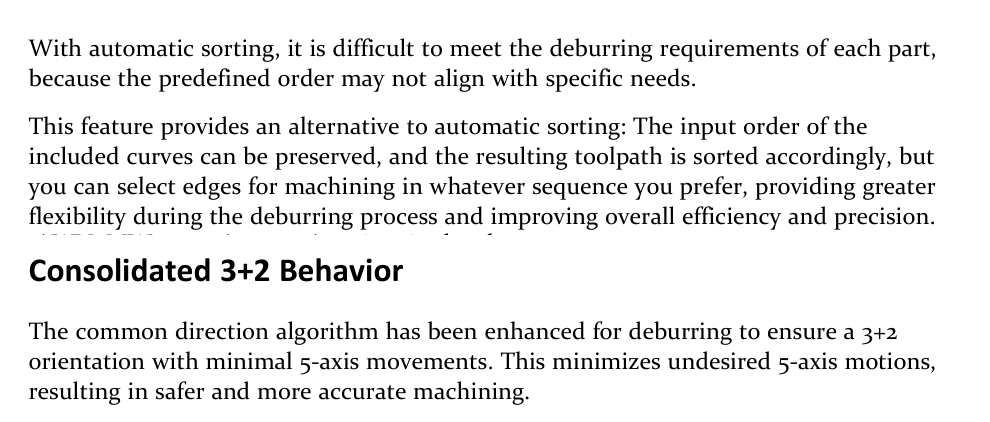
Figure 2 Preserve edge order and minimize unnecessary simultaneous motion
Source: What's New in GibbsCAM 2026, p. 44
Step 4 - Validate Consolidated 3+2 Behavior
1. Regenerate the deburring operation with the installed GibbsCAM 2026 build.
2. Inspect the common-direction result for stable 3+2 orientations and minimal simultaneous 5-axis movement.
Step 5 - Use AutoTilt with a Bullnose Tool
1. Define the bullnose tool, shaft, and holder accurately.
2. Enable AutoTilt in the applicable Tool axis control > Tilting workflow.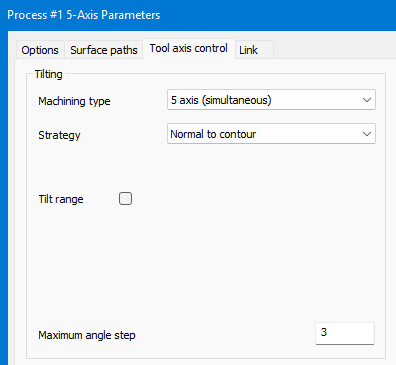
3. Regenerate and inspect contact, gouge avoidance, holder clearance, and supported strategy behavior.
Step 6 - Constrain Tool-Axis Tilting
1. Choose Tilted into plane or Tilt tool in a user defined plane.
2. Define the direction or plane normal to suit the machine kinematics and permitted rotary motion.
3. Regenerate and confirm that the intended rotary or tilt degree of freedom is restricted.
4. Inspect surface access, machine limits, singularities, collisions, and posted axis motion.
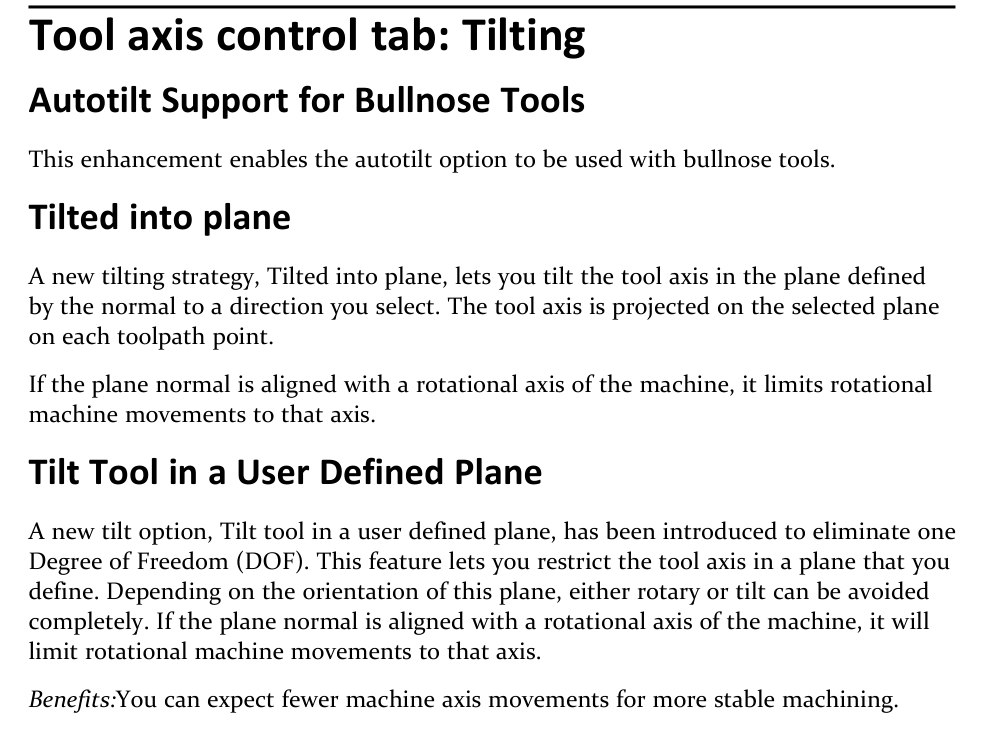
Figure 3 Restrict tool-axis motion with plane-based tilting
Source: What's New in GibbsCAM 2026, p. 44
Step 7 - Regenerate Existing Toolpaths
1. Regenerate a copy of an existing tilting toolpath in GibbsCAM 2026.
2. Compare tool contact, axis motion, limits, links, and posted output with the saved baseline.
3. Treat any unexplained change as a review item before production release.
Step 8 - Approve the Result
1. Run Op Simulation and Machine Simulation with the complete production setup.
2. Review edge coverage, contact, holder clearance, rotary travel, singularities, collisions, and cycle time.
3. Post with the approved postprocessor and complete the shop's controlled prove-out.
Expected Result
• Deburring follows an approved automatic direction or preserved user-defined edge sequence.
• Consolidated 3+2 behavior reduces unwanted simultaneous 5-axis movement.
• Bullnose AutoTilt and plane-constrained tilting maintain safe contact and intended machine-axis motion.
• Regenerated toolpaths remain within machine limits and produce reviewed posted output.
Best Practices
• Change one direction or tilting control at a time and compare it with a saved baseline.
• Use accurate tool assemblies and conservative collision clearances.
• Choose plane normals from the real machine kinematics, not only the part orientation.
• Simulate the full sequence and review posted rotary motion before machining.
Troubleshooting
• Problem: Automatic direction produces the wrong order or direction.
Cause
• The contour definition or edge direction is unsuitable.
• Automatic sorting does not match the required part sequence.
Resolution
Inspect and correct the selected geometry. When order is critical, preserve a user-defined edge sequence, regenerate, and verify every link.
• Problem: The user-defined edge sequence is not preserved.
Cause
• Edges were not selected in the intended order or preserve-input-order behavior is not active.
• The geometry contains gaps, duplicate entities, or unintended branches.
Resolution
Repair the geometry, reselect edges in the required order, and recalculate. Confirm the resulting sequence in simulation.
• Problem: Consolidated 3+2 still uses unnecessary simultaneous motion.
Cause
• The common direction cannot satisfy all selected edges from one stable orientation.
• Machine limits, clearance, or geometry force an orientation change.
Resolution
Split the selection if needed, review the machine setup and limits, and regenerate.
• Problem: Bullnose AutoTilt is unavailable or produces unsafe contact.
Cause
• The installed build, license, strategy, or tool type does not support the combination.
• The bullnose, shaft, holder, or clearance definition is inaccurate.
Resolution
Verify availability and supported combinations, correct the tool assembly, and use conservative tilt and clearance values. Simulate before posting.
• Problem: Plane-constrained or automatic tilting exceeds limits or changes unexpectedly.
Cause
• The plane normal is unsuitable for the machine kinematics or approaches a singularity.
• The new tilting kernel regenerated the operation differently from the baseline.
Resolution
Stop before machining. Correct the plane or direction, inspect axis limits and singularities, compare with the baseline, and have CAMCO or the post administrator review unexplained motion.
Related Articles
• How to Machine Open Shapes in GibbsCAM
Explore More from CAMCO
Visit the CAMCO website to learn more about:
• Downloads and Helpful Resources
Keywords
GibbsCAM 2026, 5-Axis, deburring, Multi-Axis Edge Finishing, Automatic Machining Direction, edge sequence, 3+2, AutoTilt, bullnose tool, tool-axis tilting, Tilted into plane, user-defined plane, machine limits, singularity